Use geolocation
You can create campaigns that only trigger if your customer is in a specific location. This is also known as geofencing.
To do this:
- Define a custom attribute on the session entity.
- Set its value in the session with the Update customer session endpoint.
- Check the location in a rule.
Create the location attribute
This attribute will be used to store the session's location in Talon.One. For more information on creating custom attributes, see Attributes.
- Create a custom attribute with the following information:
- Associated entity: session
- Attribute type: location
- Choose and remember its API name. We will use it in the
Update customer sessionrequests.
Pass location data via the Integration API
Attributes of type location can be set via the
Update customer session endpoint inside the attributes property.
For location attributes, we can use the following data formats:
GeoJsonGeoJsonBase64Point
All coordinate values are represented as [longitude, latitude] where:
- longitude: distance east or west of the prime meridian.
- latitude: distance north or south of the equator.
For example, the Point format consists of a single string
that contains the coordinates, in a comma-separated string, such as:
"my_location_attribute_internal_name": {
  "format": "point",
  "object": "13.391799, 52.498605"
}
When used inside a Update customer session endpoint request:
curl https://example.talon.one/v2/customer_sessions/C156904 \
-X PUT \
-d '{
  "profileId": "35",
  "attributes": {
    "my_location_attribute_internal_name": {
      "format": "point",
      "object": "13.391799, 52.498605"
    }
  }
}'
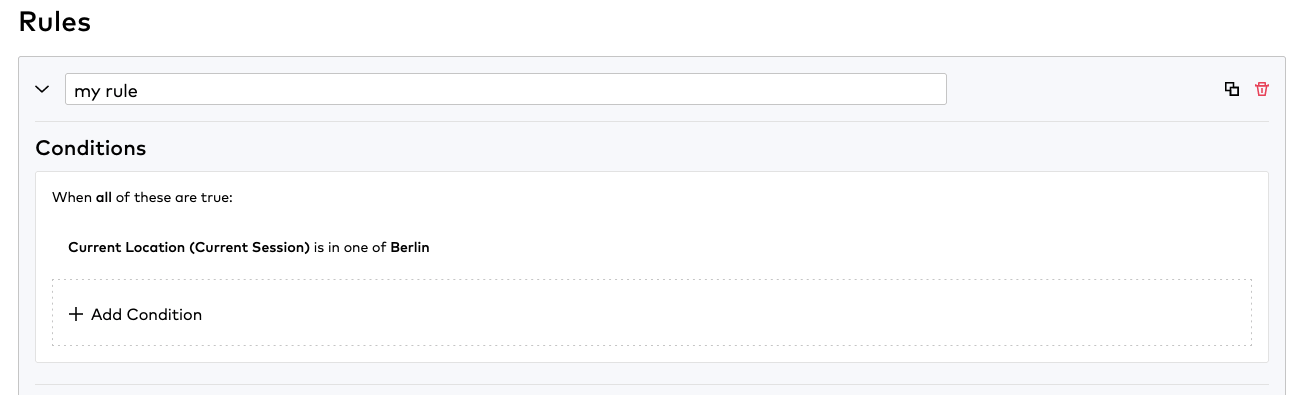
Evaluate the position in a Rule
Any standard campaign with access to the attribute can now evaluate the location data using the Check attribute value condition: