Display loyalty transactions in Shopify
In this tutorial, you'll learn how to collect the data needed to display a customer's loyalty points history in your Shopify store.
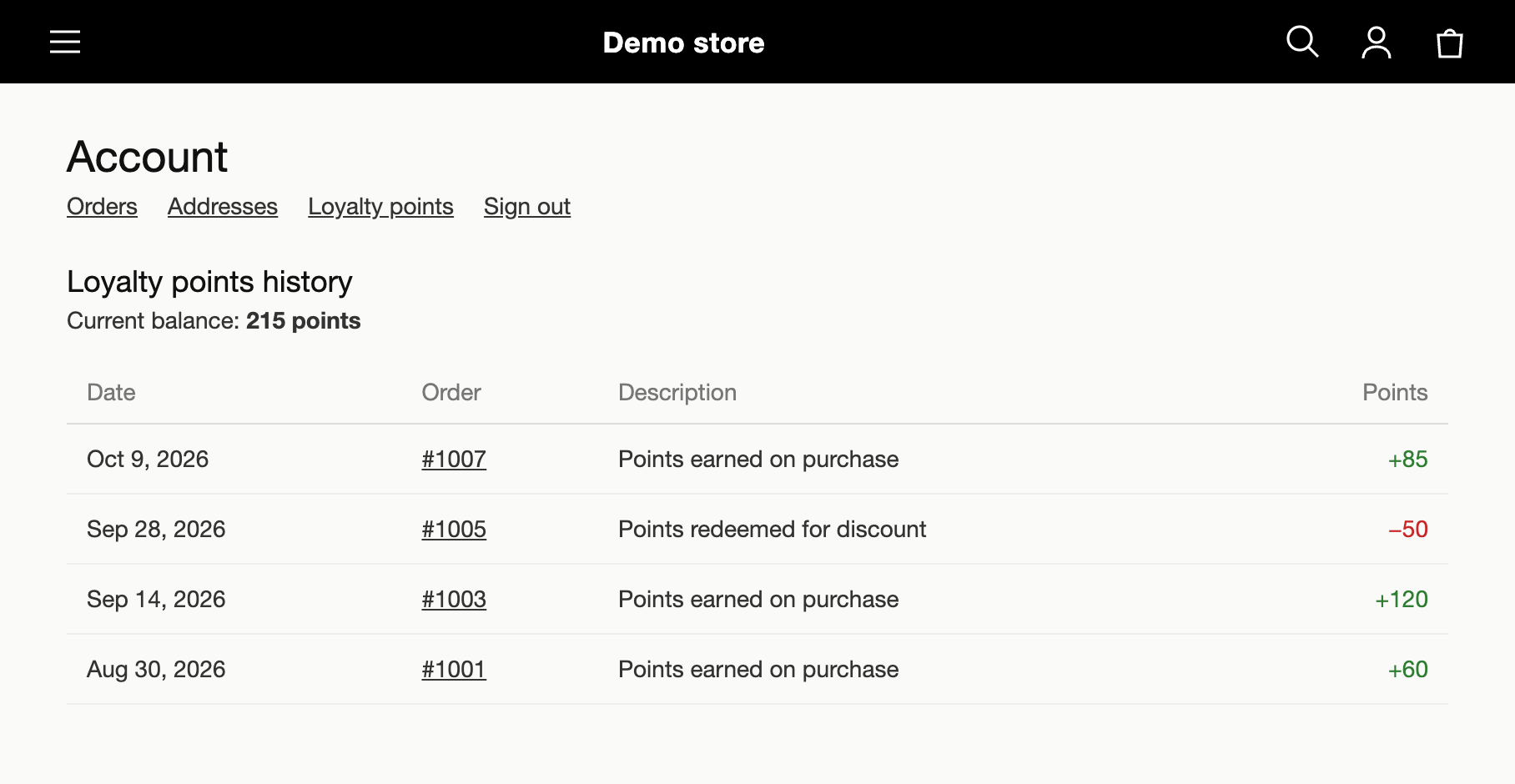
This tutorial explains how to collect the data. For each loyalty point transaction, you retrieve the name and ID of the order that caused it. How you display it in your store depends on your theme or storefront.
Talon.One requirements
- You are an admin user.
- You have set up an Application and a campaign.
- You have set up a profile-based loyalty program.
Shopify requirements
- You are an administrator user.
- You have completed the basic setup of the Talon.One Shopify app.
- You have configured the transaction data sync
with
order_nameandorder_idselected as attributes to sync.
With this setup, attributes.order_name and attributes.order_id are available in Talon.One's
customer session data.
Collect the transaction data
Create an Integration API key
Both endpoints used in this tutorial require an Integration API key. To create one:
-
In your Application, click Settings > Integration API Keys.
-
Click Create API Key.
-
In the Create API Key drawer, if you are asked for a key type, select Production.
-
In Key name, type a name to identify the key.
-
In Key expiration date, select a date.
TipAvoid choosing expiration dates that fall at the end of the year or during other high-traffic periods.
-
In Third-party integration, select No.
-
Click Create API Key.
-
Click to copy the key for use.
You cannot view or copy the API key after closing the drawer.
List the customer's loyalty transactions
Call the List customer's loyalty transactions endpoint to retrieve the loyalty transactions of the customer.
Look up the session ID of each transaction
Each transaction in the response contains a customerSessionID property. This is the ID of
the customer session that triggered the transaction.
Get the customer session
For each session ID, call the Get customer session endpoint.
Get the order details
In the response, get the following values from the attributes object:
order_name: The customer-facing order reference in Shopify, for example,#1001.order_id: The unique numeric order identifier in Shopify, for example,5487236912345.
You can now combine each transaction with its order name and ID to display a loyalty points history to your customers in your store. For example: