Send a tier upgrade email via Klaviyo Closed beta
In this tutorial, let's set up Klaviyo to send a congratulatory email to a customer when they reach a new loyalty tier in Talon.One.
Before you start
Talon.One requirements
- You have completed the
setup of the
Klaviyo integration and configured the loyalty
sync
to sync tier data to a
loyalty_tierprofile property in Klaviyo. - You have set up an Application.
- Your Application is connected to a loyalty program with tiers.
Klaviyo requirements
- You have enabled multi-factor authentication (MFA) for your account.
- Your user role is Manager, Admin, or Owner.
Workflow overview
In the sections below, we set up the following workflow:
- A customer reaches a new loyalty tier in Talon.One.
- Talon.One syncs the new tier to the customer's
loyalty_tierprofile property in Klaviyo and sends a tier upgrade event to Klaviyo. - A flow in Klaviyo triggers on the event and sends the customer an email that includes their new loyalty tier.
Set up the integration
Create a tier upgrade flow in Klaviyo
-
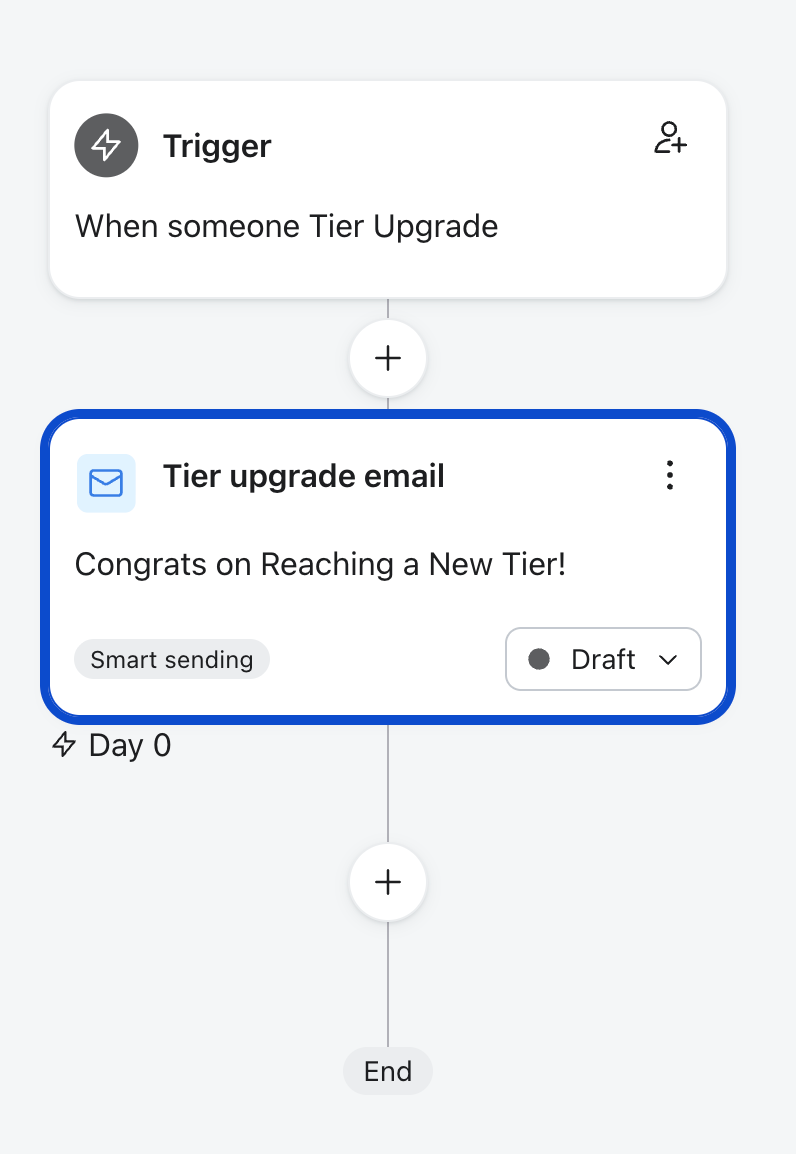
In Klaviyo, open Flows > Create Flow > Build your own.
-
Enter
Tier upgrade emailas the flow name, and click Create Flow. -
In the sidebar, choose Your metrics > Talon.One > Tier Upgrade as the flow trigger, and click Save.
-
Add an Email action to the flow and name it
Tier upgrade email. -
In the sidebar, under Templates, click ... > Create text only email.
-
Add the following content to the email body, where
TIER_FIELD_NAMEis the name of the profile property in Klaviyo that stores the loyalty tier. In this tutorial, we useloyalty_tier.Congratulations, {{ first_name }}!You've reached the {{ person|lookup:"TIER_FIELD_NAME" }} tier. -
(Optional) To send a test email:
- Click Preview email.
- Choose a recent tier upgrade event.
- Choose Send as an email, enter the email address of a test profile, and click Preview Now.
-
Click Save, provide a subject line, sender name, and sender email address, and click Done.
-
Click Review and turn on to activate the flow.
The flow should now look like this:
Test the setup
Let's test our setup by triggering a loyalty tier upgrade for a customer:
- In Klaviyo, choose a customer profile to test the tier upgrade email with. Ensure you have access to the inbox for that profile's email address, so you can check that the email arrives.
- Open the same customer profile in Talon.One and manually add loyalty points to it. Add enough points to trigger a tier change, for example, from Silver to Gold.
- Verify that the customer receives the tier upgrade email in their inbox, with the correct loyalty tier displayed.